
At a glance
The problem
A lot of people have binders full of cards that are worth real money, and they honestly don’t know how much. To find out, you check prices on one website, track your sets in a spreadsheet, and then just hope the card you’re after turns up somewhere.
Then there are the moments where you need an answer straight away. A mate offers you a swap, or someone at a card show wants to sell you a stack of cards, and you’re standing there doing maths in your head. Most people just guess, and guessing with cards worth more than your phone isn’t great.
What I’m building
HoloQuest tells you what your cards are worth, using real market prices for over 50,000 English, Japanese and Indonesian cards, plus sealed boxes. It shows you what’s missing from each set and how much it would cost to finish it. And it helps in those on-the-spot moments, like checking if a swap is fair or working out what to pay for someone’s cards.
In the latest version I switched to a dark look, with a slow-moving topographic pattern in the background. The card art really stands out against it, so flipping through your binder feels a bit more like the real thing.
The home screen
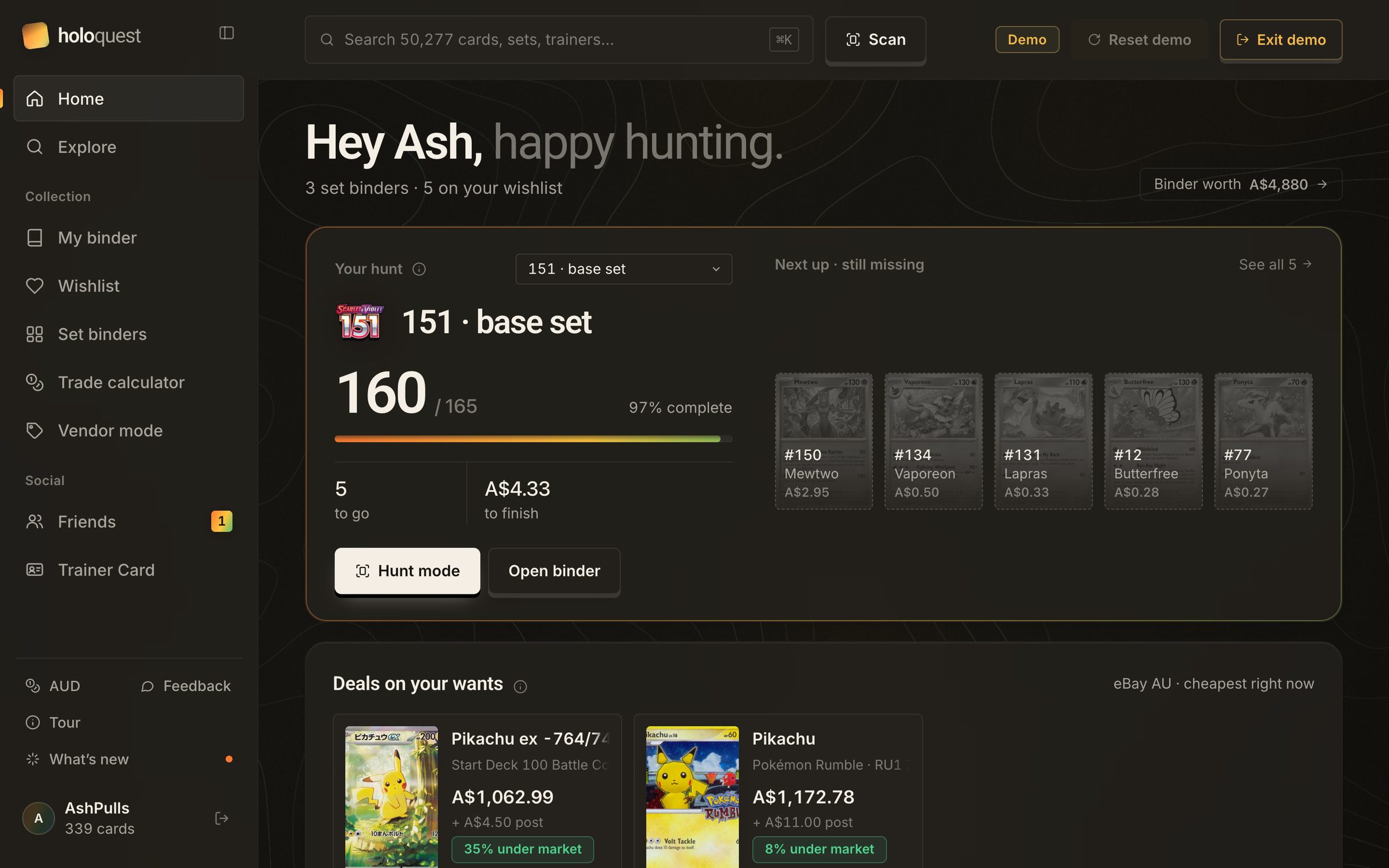
When you open the app, I wanted it to answer one thing first: how close am I to finishing a set? Under that, it keeps an eye on your wishlist, with the cheapest eBay listings right now and anything that dropped in price this week.
Set binders
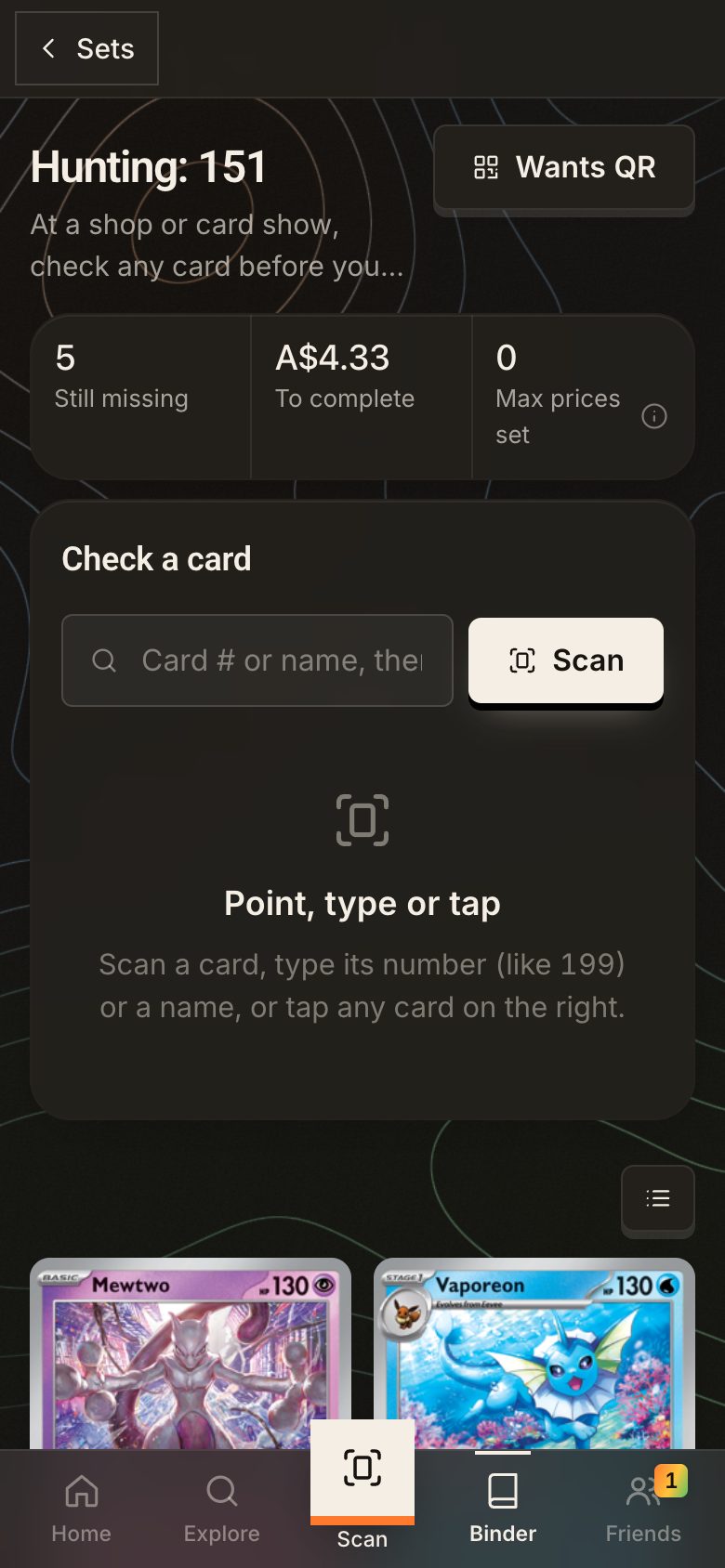
Collectors don’t really think of their cards as one big pile. They think in sets, like “I’ve got 160 of the 165 cards in 151.” So I gave every set its own binder. The cards you own are in full colour, the missing ones are faded out, and at the top is the number I think matters most: how much it would cost to finish. For 151 that’s five cards and A$4.33. That kind of number is what actually gets you out looking.


Pricing
This was one of the trickiest parts. Ask three websites what a card is worth and you’ll get three different answers. So instead of hiding that, I show where the number comes from. The price is an average of the fresh sources, like TCGplayer in the US and Cardmarket in Europe. If the Cardmarket data is older than 45 days, it still shows up, but it’s marked as stale and left out of the average.
Then there’s a confidence label. If the sources mostly agree, it says High. If they’re far apart, or all the data is old, it says Low. I’d rather tell you I’m not sure than show a confident number that’s wrong. Under that there’s a price history chart, graded prices from PSA, CGC, BGS and others, and links to eBay and TCGplayer listings if you want to compare.
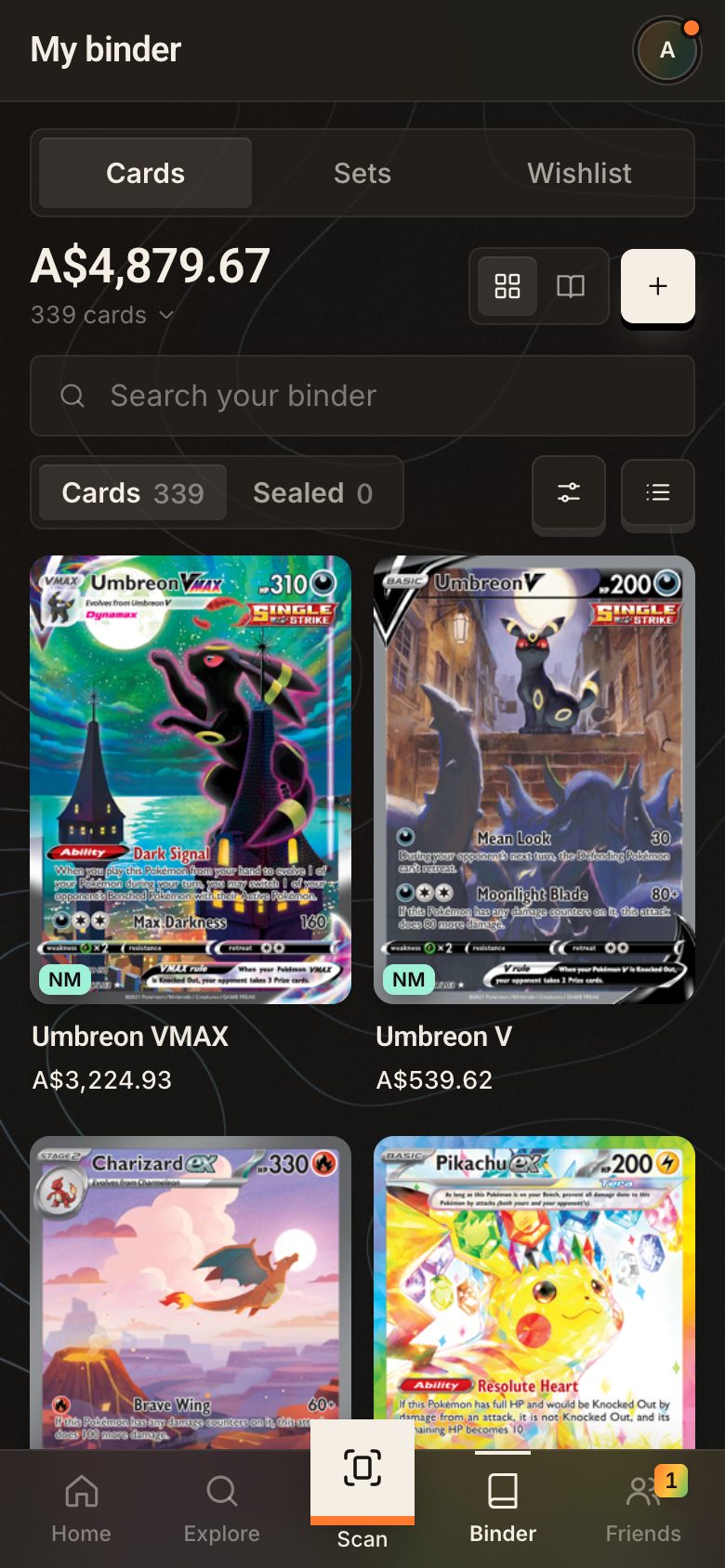
It also remembers what you paid. The Umbreon VMAX in the demo cost A$310 and it’s worth about A$3,225 now, which is a pretty nice thing to see.

Trade calculator
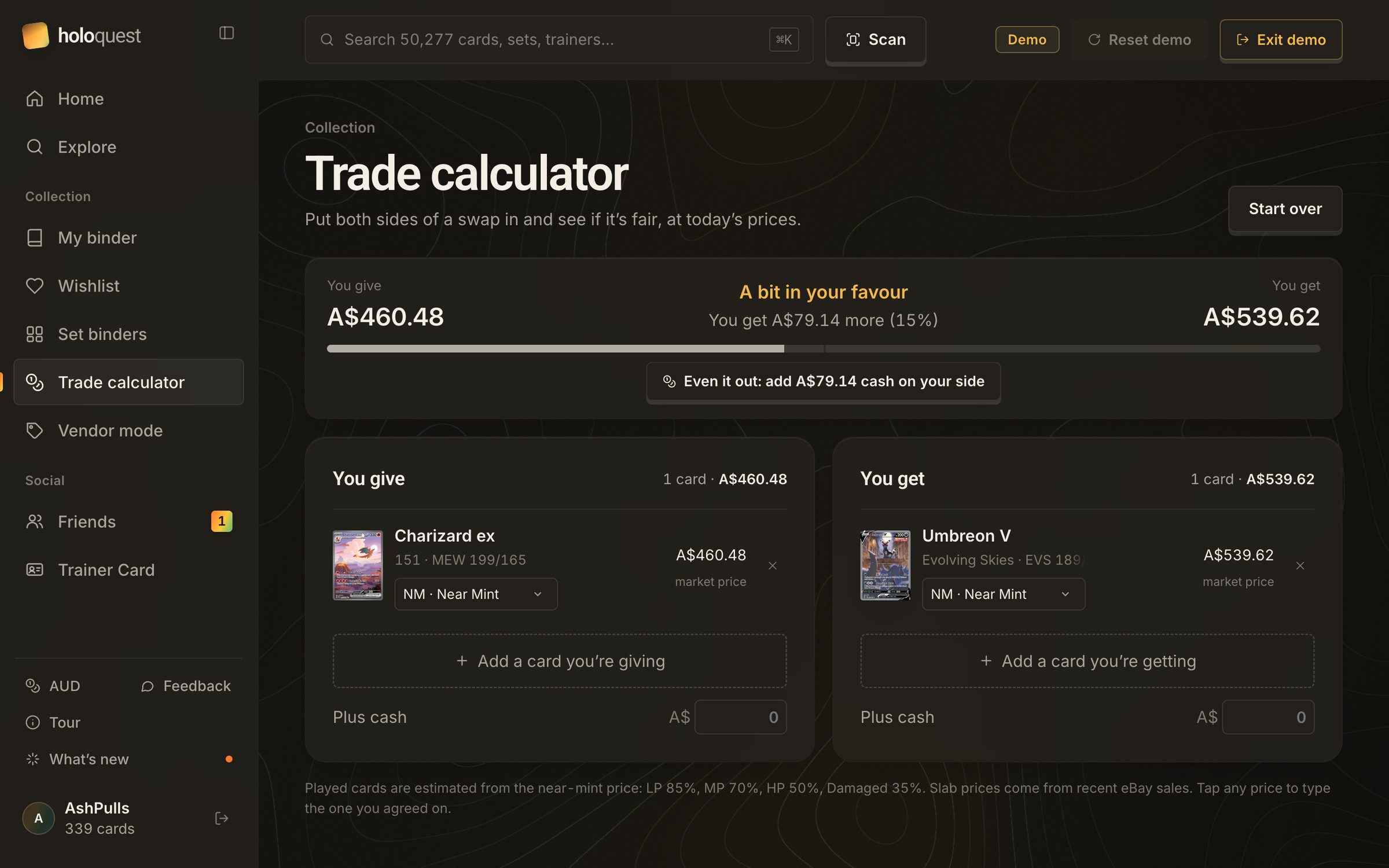
Trading with a mate usually means both of you pulling up prices on your phones and doing maths in your head. So I added a trade calculator. You put in what you’re giving and what you’re getting, and it tells you who’s ahead and by how much. In the demo, swapping a Charizard ex for an Umbreon V puts you A$79 ahead, about 15%, and it tells you how much cash would even it out.
Played cards are worked out from the near-mint price (LP is 85%, MP 70%, HP 50%), graded slabs use recent eBay sales, and you can tap any price to type in the one you actually agreed on.
Vendor mode
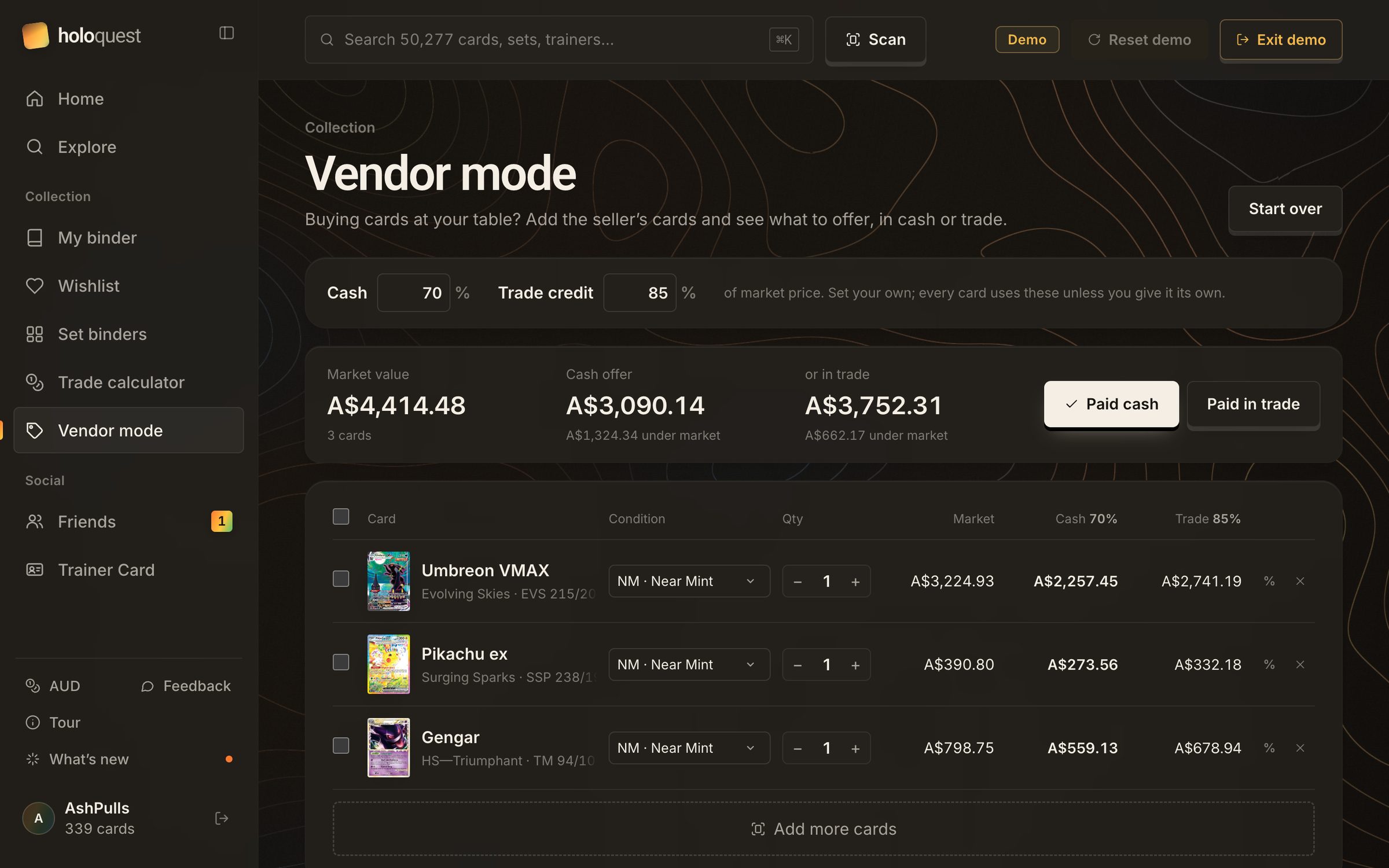
Vendor mode is for the other side of the table. If you’re buying cards at a show, you add the seller’s cards and set your rates, like 70% of market for cash and 85% for trade credit. It shows you what the whole stack is worth and what to offer for each card. Once you’ve done the deal, you mark it as paid in cash or trade, and the cards go straight into your binder at what you paid.
Trainer Card
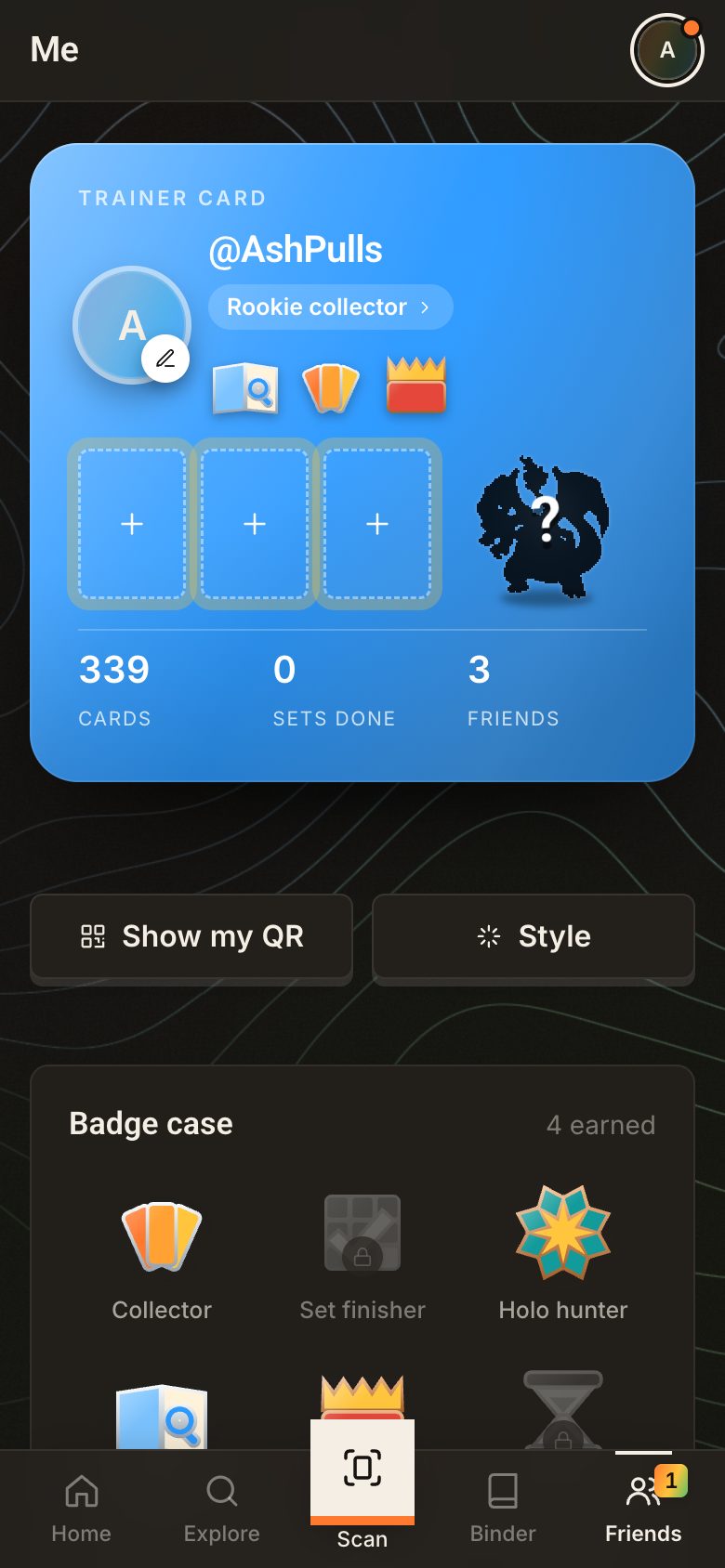
I didn’t want anyone to have to write a bio. So your profile is a Trainer Card, like the ones in the games. You pick a partner Pokémon, show off three cards and choose a title. There’s a badge case with 11 kinds of badges, each with bronze, silver and gold, and some have a holo tier too. You earn them for things like collecting, finishing sets or owning Japanese cards. The server works them out, so nobody can fake one.
The first 100 people to sign up get a numbered Founding Trainer badge they keep forever. And until you choose a partner, the spot shows a “Who’s that Pokémon?” silhouette, which I couldn’t resist.

On your phone
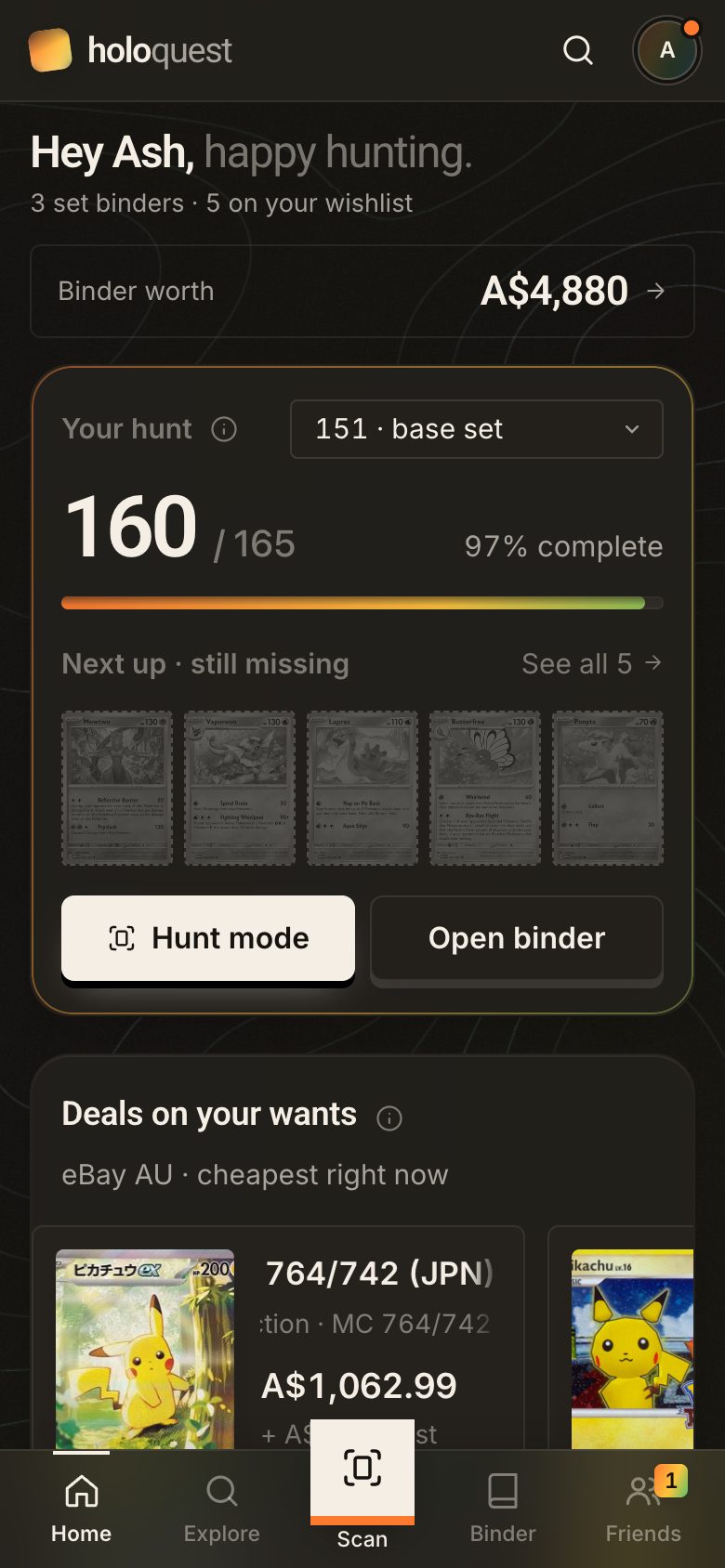
I kept picturing someone at a busy card show with a card in one hand and their phone in the other. So on mobile it’s just five tabs, with Scan right in the middle. Point your camera at a card, it recognises the artwork, and if there are a few versions it asks which one. Hunt mode answers the two questions you have before buying: do I need this, and is the price fair? You can add it to your home screen, and it works offline.
Privacy
A lot of card collectors are kids, so I kept the social features simple on purpose. You can only add friends face to face, by scanning the QR code on their Trainer Card. The code changes every few minutes, and the app asks you to show it to a friend your age. Kids can only add other kids.
Only your friends can see your Trainer Card and binder. Your age is set once when you sign up and checked on the server, so it can’t just be switched off in the app.
Design notes
I put together a short video that walks through some of the design decisions, with the before and after screens side by side. It covers cutting the clutter out of the binder, showing where every price comes from, my second go at the scanner, what happens when a card isn’t in the database, the Trainer Card, finding the look, and the hardest call I made.
What I cut, for now
Earlier versions of HoloQuest had a whole local marketplace: buying and selling with people nearby, trade offers, meetup spots, check-in codes and trust levels. I designed and built all of it.
But I wanted to focus on the MVP first. The core of the app is pricing your binder and finishing your sets, and I’d rather get that really solid before adding anything else. So I took the marketplace out for now. The trade calculator and vendor mode still help when you’re trading or buying cards, without needing strangers to meet up through the app.
It’s not gone for good. Once more people are using the app, I’m planning to bring the marketplace back and make it better than the first version.
The small stuff
Cards from three countries
There are 21,578 English cards, 25,906 Japanese cards, 2,793 Indonesian cards and 2,392 sealed products in there, with prices updated every day.
Stamps and Poké Balls
Stamped promos and the Poké Ball and Master Ball versions are separate cards with their own prices. Collectors really care about these, so they’re tracked properly.
A binder you can swipe
On your phone, the binder turns into 9-pocket pages you swipe through, so it feels more like a real binder than a list.
How I built it
I used Claude Code to write basically all of the code. That’s about 20,000 lines, 357 automated tests and 130 commits. My job was everything around it: what the product should do, the Figma designs, how it looks, the safety rules, the copy, and deciding what not to build.
The tech is pretty simple. Plain JavaScript with no framework, three.js for the backgrounds and the 3D badges, and a Python server with SQLite, hosted on Railway. The card data comes from pokemontcg.io, TCGdex, PokemonPriceTracker and eBay.
AI is quick at writing code, but it doesn’t make the decisions for you. The hard questions were still mine. How do you match a photo of a card against every card ever made? Which safety rules need to live on the server? How do you combine prices that don’t agree? And why did the site suddenly take 27 seconds to load? It’s back to about 3 now.
It’s live, so you can sign up and start your own binder. Or tap “Try the demo” and you’ll be Ash, with 339 cards and a set that’s five cards from done. Next I’m working on the App Store, Android, and finding real users, which is honestly the hardest part. Founding Trainer #2 has already signed up, so there are 98 spots left.